GUIDE 15 OF 42 · WRITING TOOLS
Use the snippet library
Insert common LaTeX structures from 172 ready snippets, keep favourites and save your own.
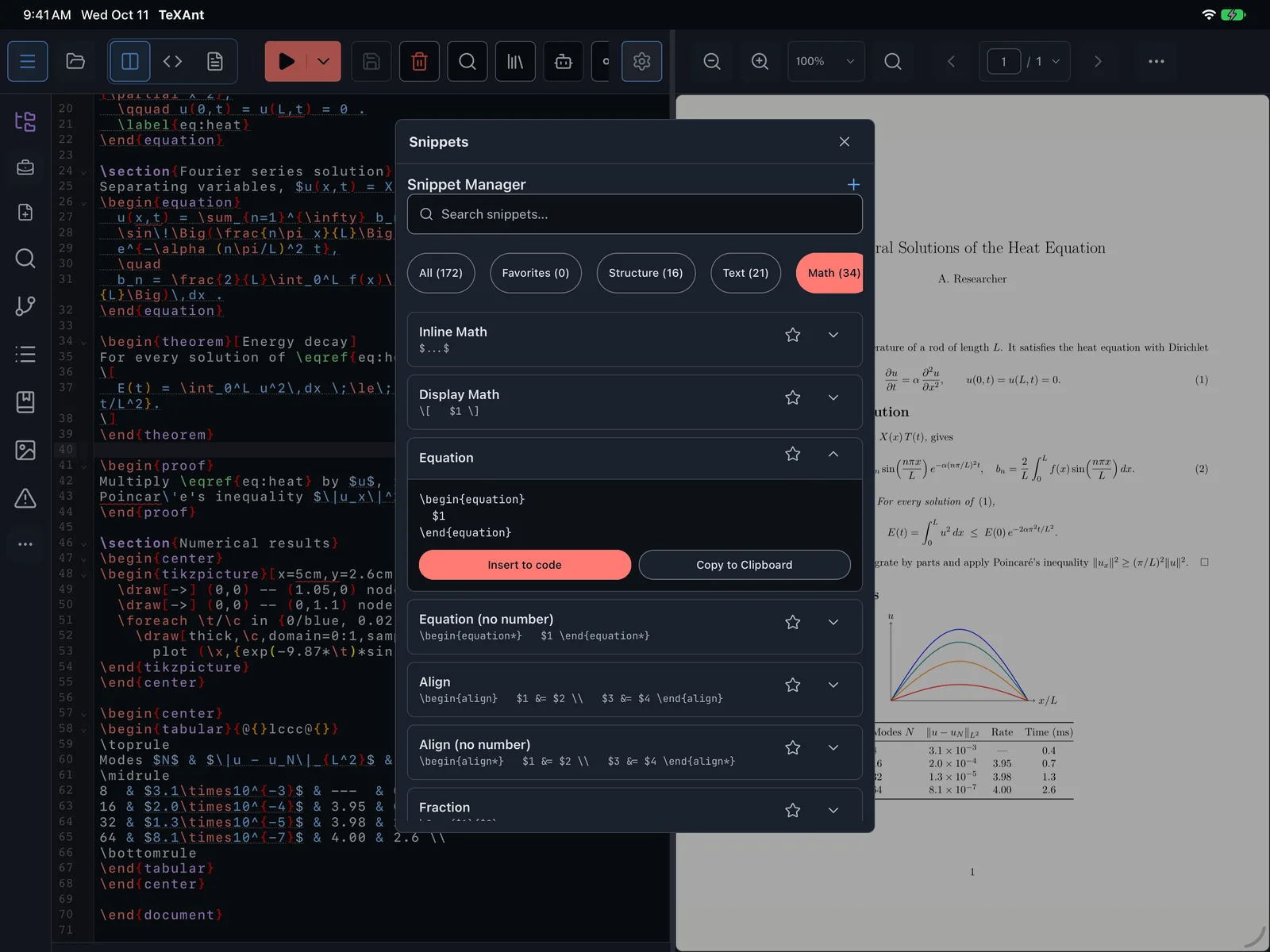
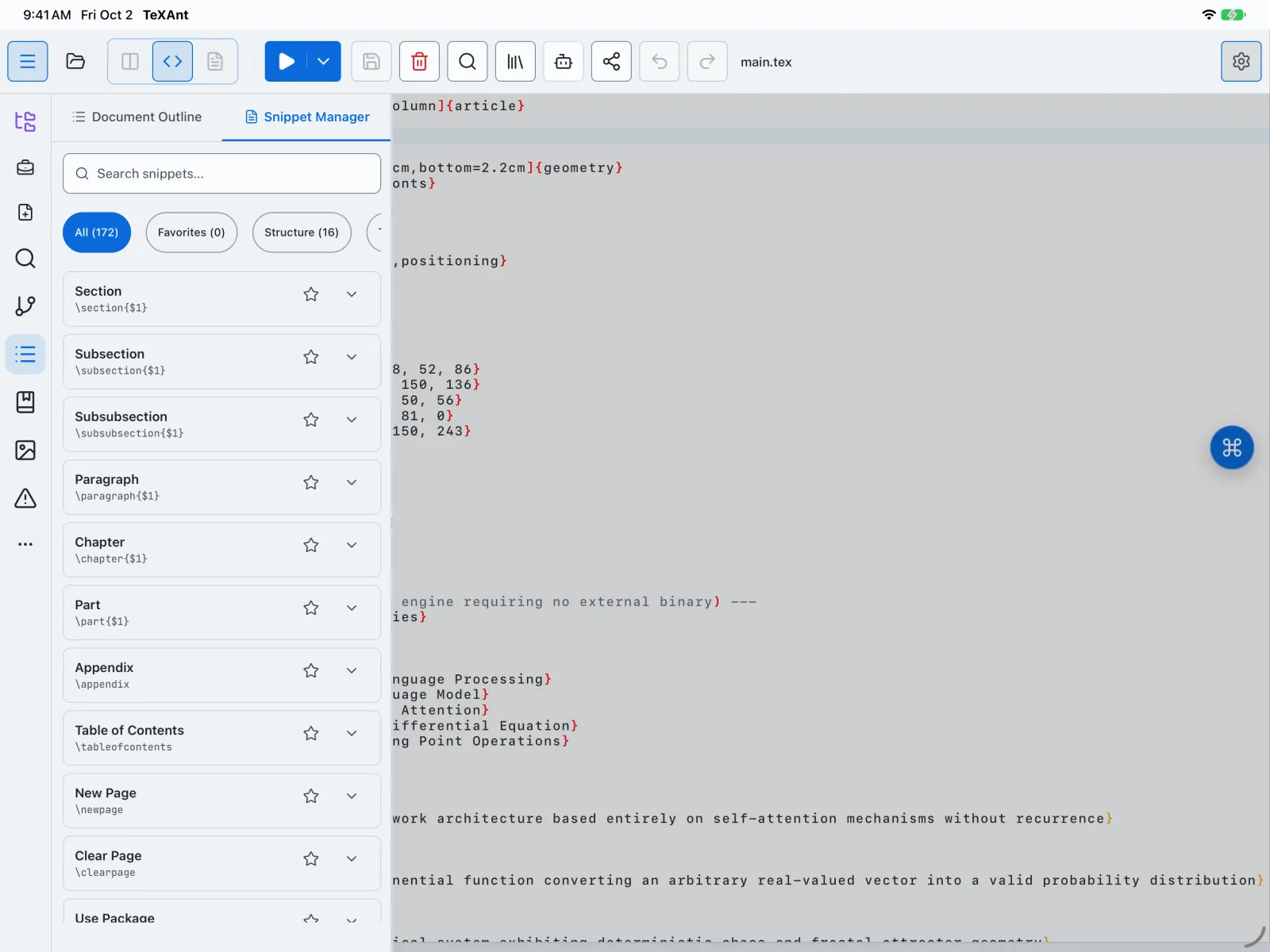
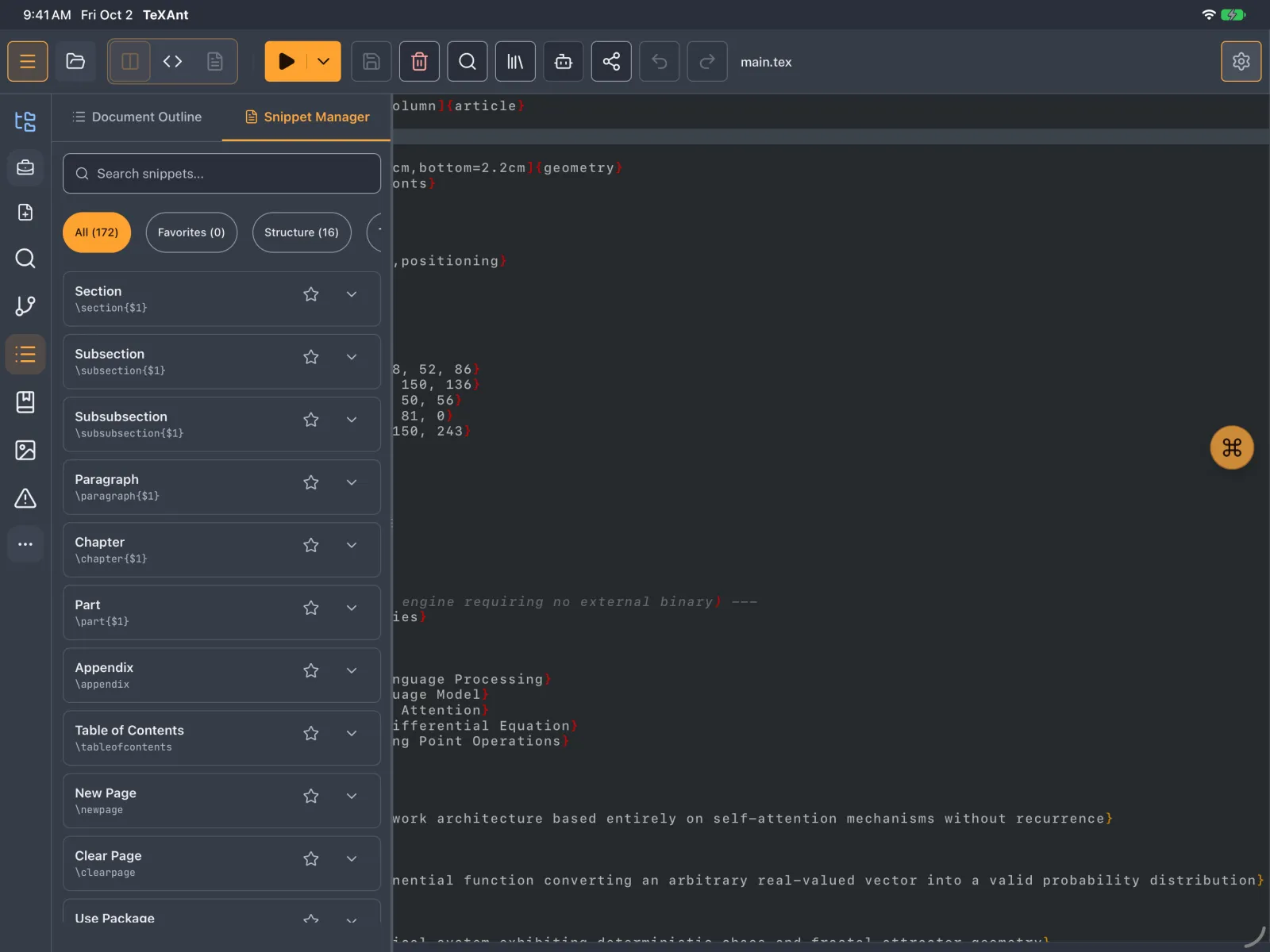
- Tap the floating ⌘ button over the editor and choose Snippets. It is also the second tab of the Structure panel.
- Pick a category, such as Structure, Math, Tables, Figures or Beamer, or type in Search snippets....
- Tap a snippet to see its code, then tap Insert to code. Copy to Clipboard is next to it.
- Tap the star to keep a snippet under Favorites.
- To save your own, tap +, give it a Snippet Name, paste the LaTeX Code and tap Save Snippet. It appears under Custom.
- Your own snippets and favourites are kept on this device.