GUIDE 5 OF 42 · EDITOR
Change the editor theme
Pick a light or dark theme for the app and, separately, for the code editor.
- Open Settings: tap the gear (Open settings) in the top bar, or press ⌘ , on a keyboard.
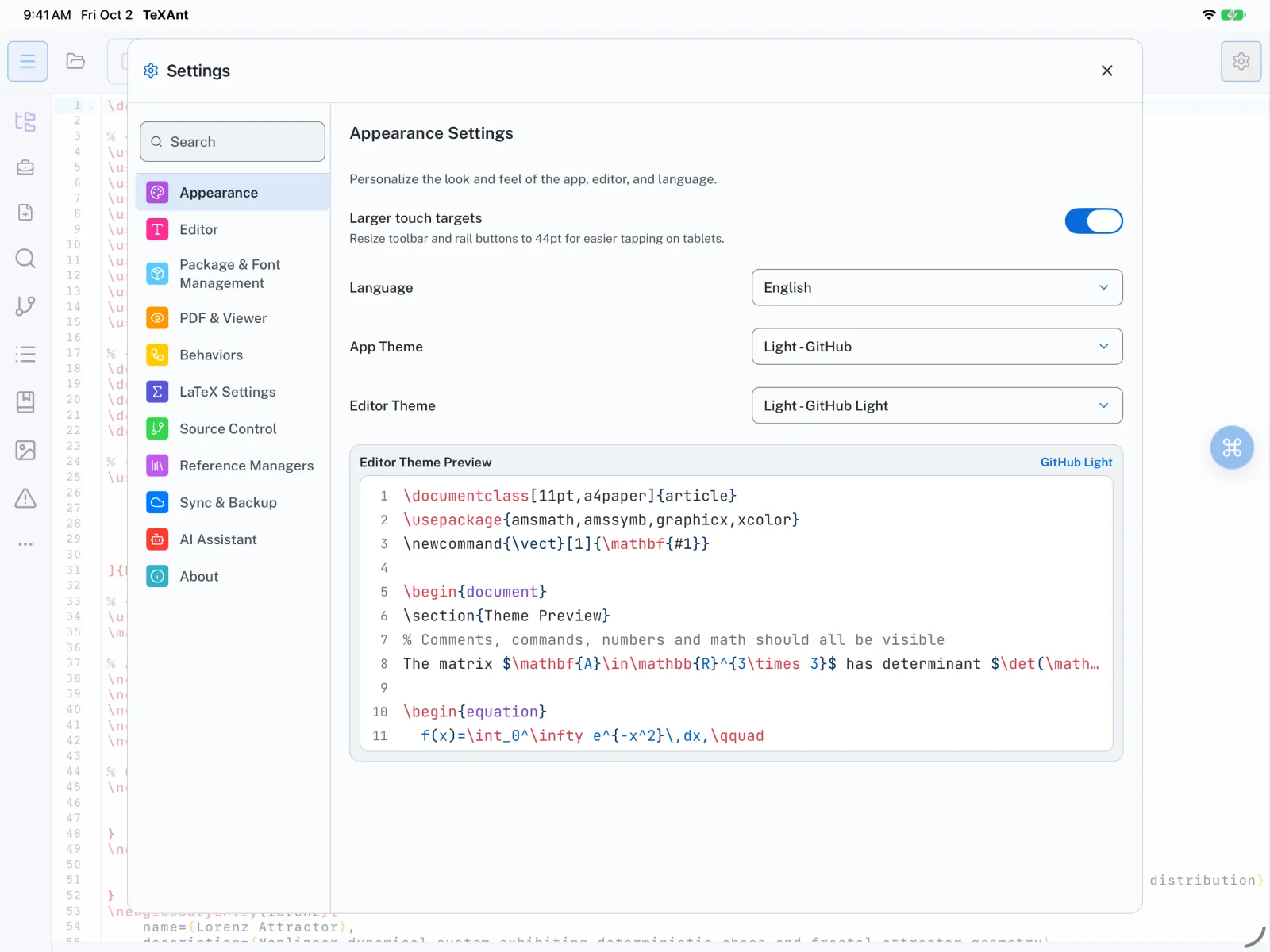
- Choose Appearance.
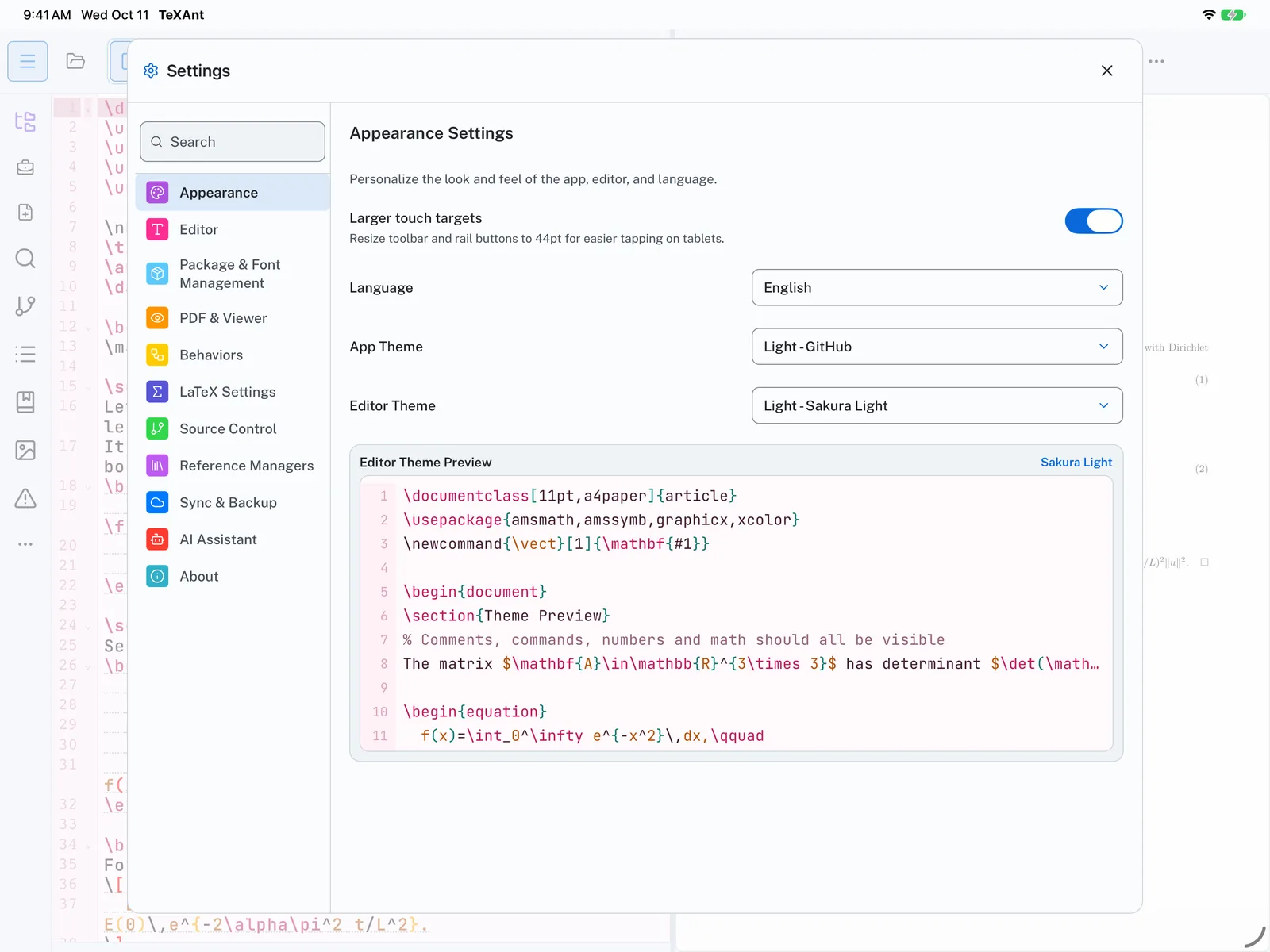
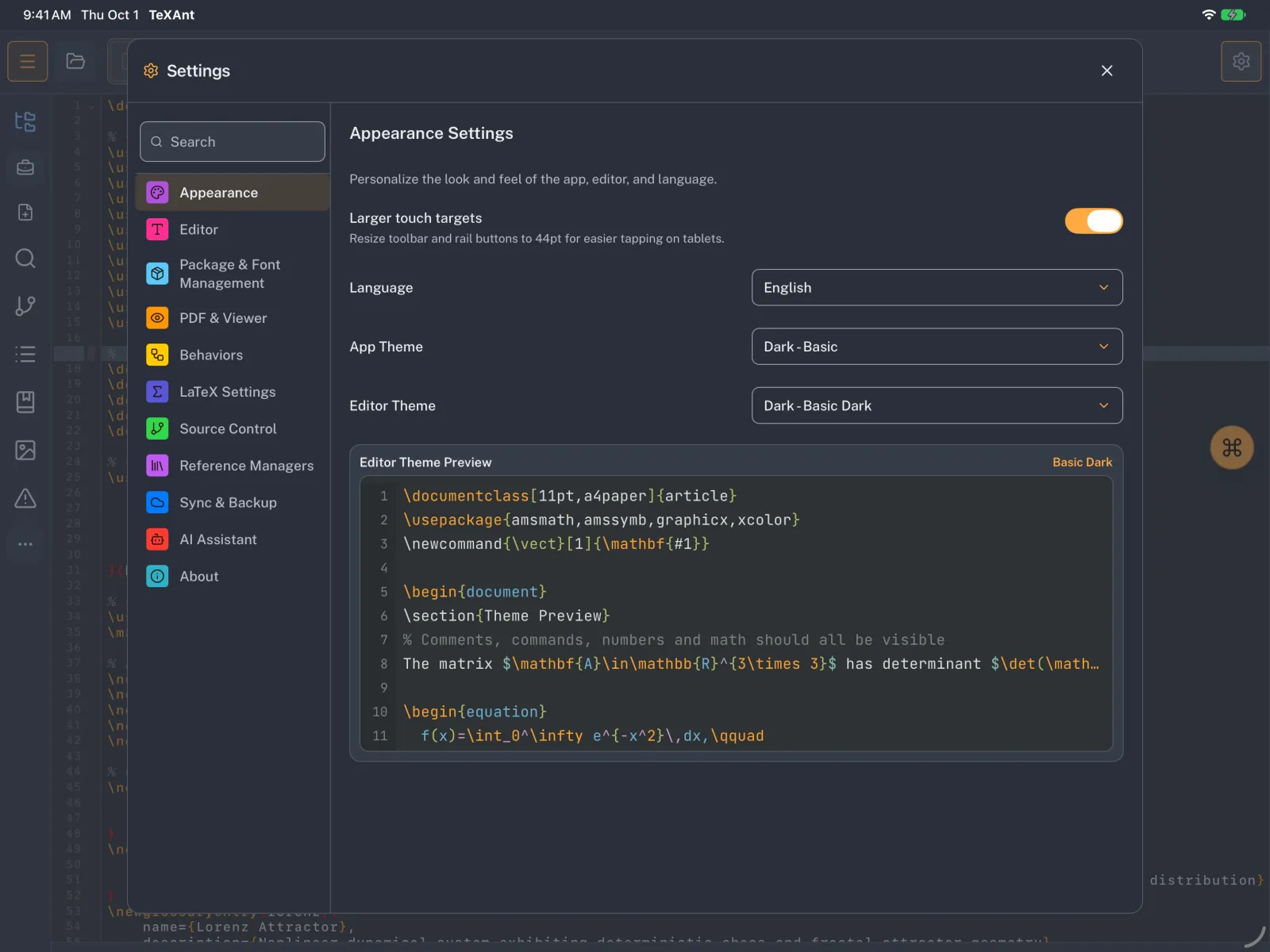
- Pick the App Theme first. Changing it also switches the code editor to the matching theme.
- If you want the code editor to look different from the rest of the app, pick an Editor Theme afterwards. There are five light themes (Forest, GitHub, Ocean, Sakura, TeXAnt) and five dark ones (Basic, Darcula, GitHub, One, TeXAnt).
- The Editor Theme Preview below the pickers shows a sample of LaTeX in the theme you chose.
- The sun and moon button in the top bar switches between light and dark in one tap.