GUIDE 28 OF 42 · GIT
Commit automatically on a timer
Let TeXAnt commit your changes every few minutes, so you always have recent checkpoints.
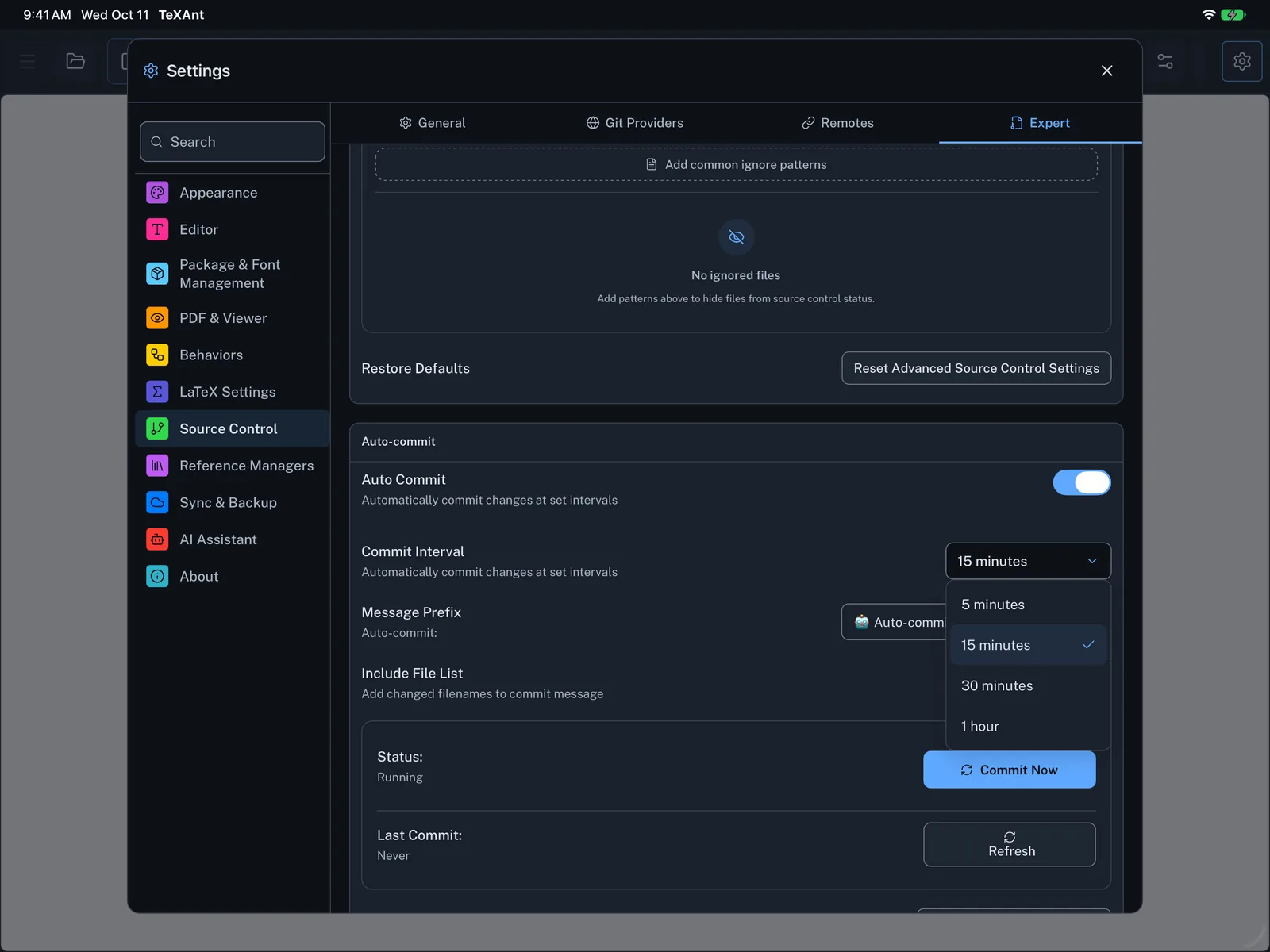
- Open Settings (the gear, or ⌘ ,) and choose Source Control.
- Open the Expert tab and find Auto-commit.
- Switch on Auto Commit.
- Choose a Commit Interval: 5, 15 or 30 minutes, or 1 hour. The default is 15 minutes.
- Optionally change the Message Prefix, and keep Include File List on to list the changed files in each message.
- Status shows whether it is running and when it last committed. Commit Now makes one right away.
- Automatic commits stay on your device. Push when you want them on GitHub or another remote.