GUIDE 10 OF 42 · EDITOR
Search the whole project
Find text in every LaTeX file of the project and jump to any match.
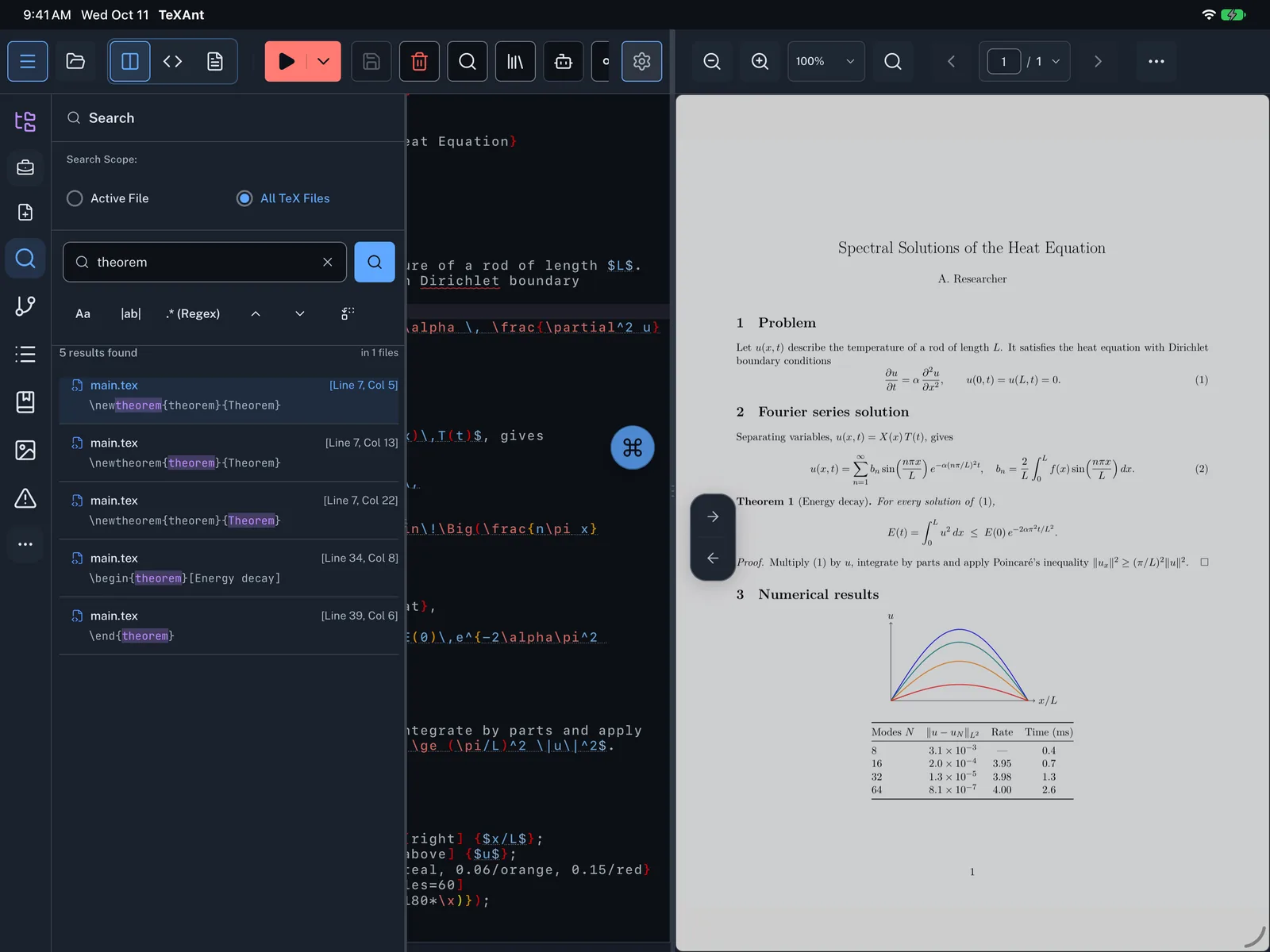
- Tap Search on the left rail, or press ⇧ ⌘ F.
- Under Search Scope, choose All TeX Files to search every
.tex,.clsand.styfile, or Active File for the open file only. - Type at least three characters. Results appear as you type.
- The list shows how many matches there are and in how many files. Each row has the file name, the line and column, and the line with the match highlighted.
- Tap a row to open that file at the match.
- Use Aa, |ab| and .* to narrow the search, and Replace to change matches across the project.