GUIDE 18 OF 42 · PDF
Search the PDF and step through matches
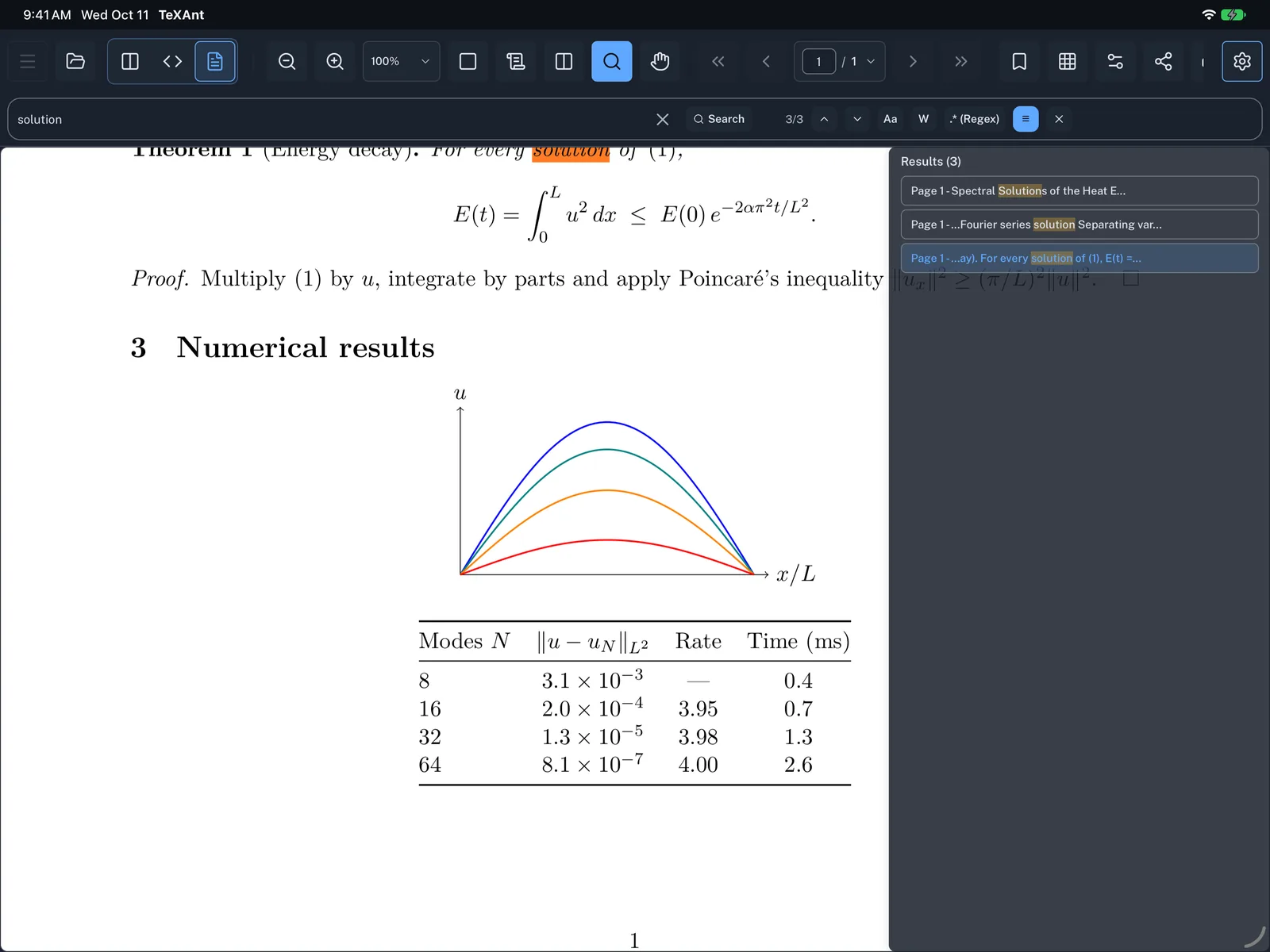
Find text in your compiled PDF, jump between matches and see them all in a list.
- Tap the magnifier in the PDF toolbar.
- Type in Search in PDF... and press Return or tap Search.
- The count shows which match you are on, for example
3/12. Use the up and down arrows to go to the previous or next match. - Narrow the search with Aa (case sensitive), W (whole word) or .* (regular expression).
- Tap the ☰ button to see every match with its page number, and tap one to jump there.
- Tap the magnifier again, or the close button, to end the search.
- To tint the highlights with your app theme, turn on Search Highlight Colors in Settings → PDF & Viewer → Layout.