GUIDE 2 OF 42 · COMPILING & PACKAGES
Understand Safe mode and trust a project
Every project compiles in Safe mode until you trust it. Here is what Safe mode limits and how to trust a project you wrote yourself.
- There is nothing to switch on: every project compiles in Safe mode until you trust it.
- In Safe mode a document can read only its own project and the installed TeX packages, it cannot run commands from Lua code, and a compile has time and memory limits. This protects you when you open a project from someone else.
- If a compile runs for 3 minutes, TeXAnt asks Compilation has exceeded 3 minutes with Stop and Continue. Without an answer, it stops after 10 minutes.
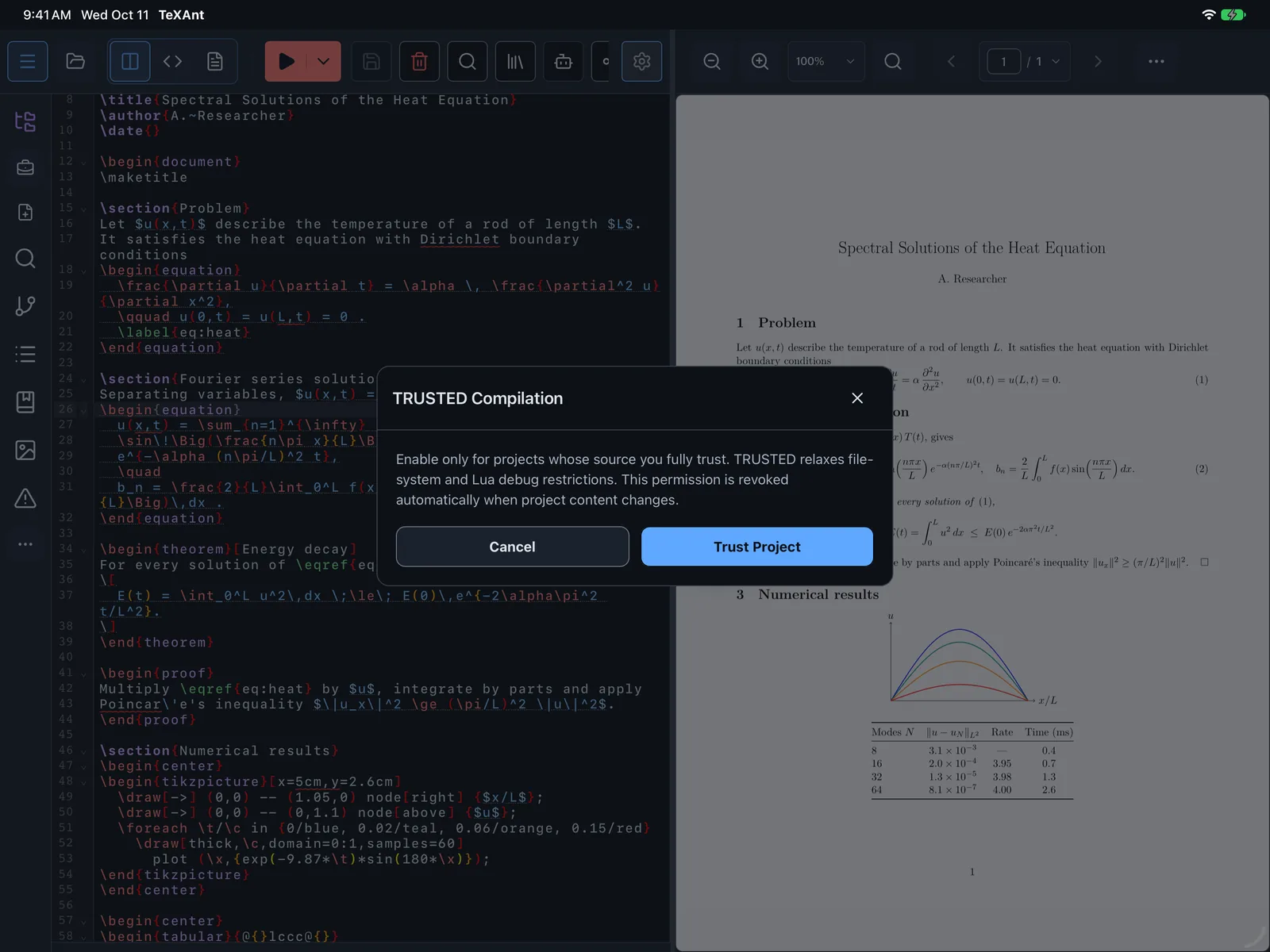
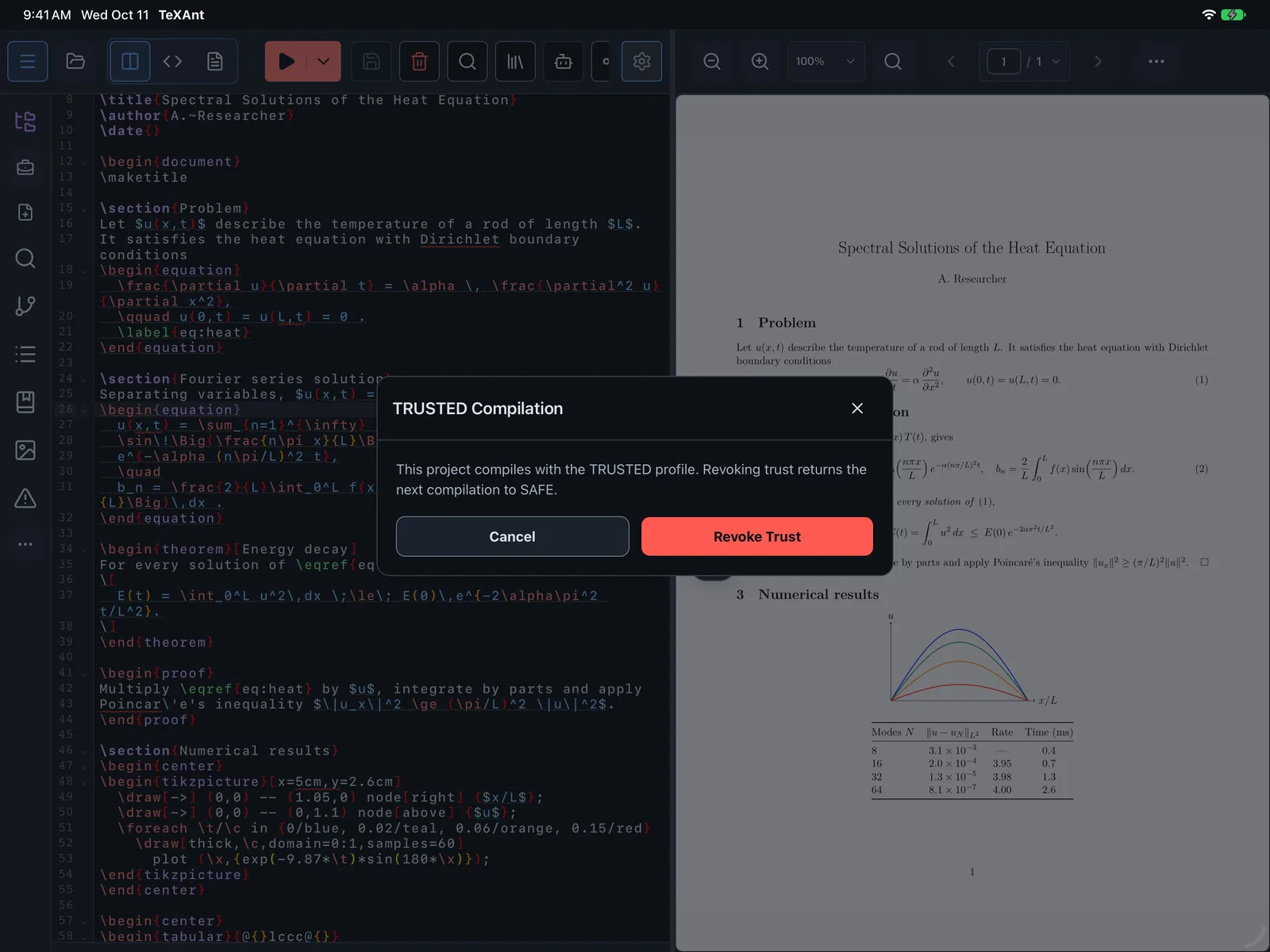
- To trust a project you wrote yourself, tap Project actions menu on the left rail, choose LaTeX, then Manage Compilation Trust and Trust Project. You see TRUSTED compilation enabled.
- When the project’s files change after you trusted it, the next compile asks again: choose Trust Again or Continue in SAFE.
- To go back to Safe mode, open Manage Compilation Trust again and tap Revoke Trust.
- The 10-minute limit is a setting: Settings → LaTeX Settings → Compile time limit in Safe mode. It is on by default and has no effect in trusted projects.
- Trust only projects whose source you know. Commands that run outside programs, such as
\write18, stay off in both modes.