GUIDE 25 OF 42 · PROJECTS & FILES
Share the PDF, print it, or export the project as ZIP
Send your PDF or a source file with the share sheet, print the PDF, or save the whole project as one ZIP file.
- Share the PDF: in PDF-only view, tap Share in the PDF toolbar. In split view, tap … over the PDF and choose Share. Pick AirDrop, Mail, Messages, Files or another app.
- Share a source file: tap the share button in the editor toolbar. It shares the file that is open.
- Print the PDF: tap Print in the PDF toolbar, or in the … menu in split view. On iPad with a keyboard, ⌘ P.
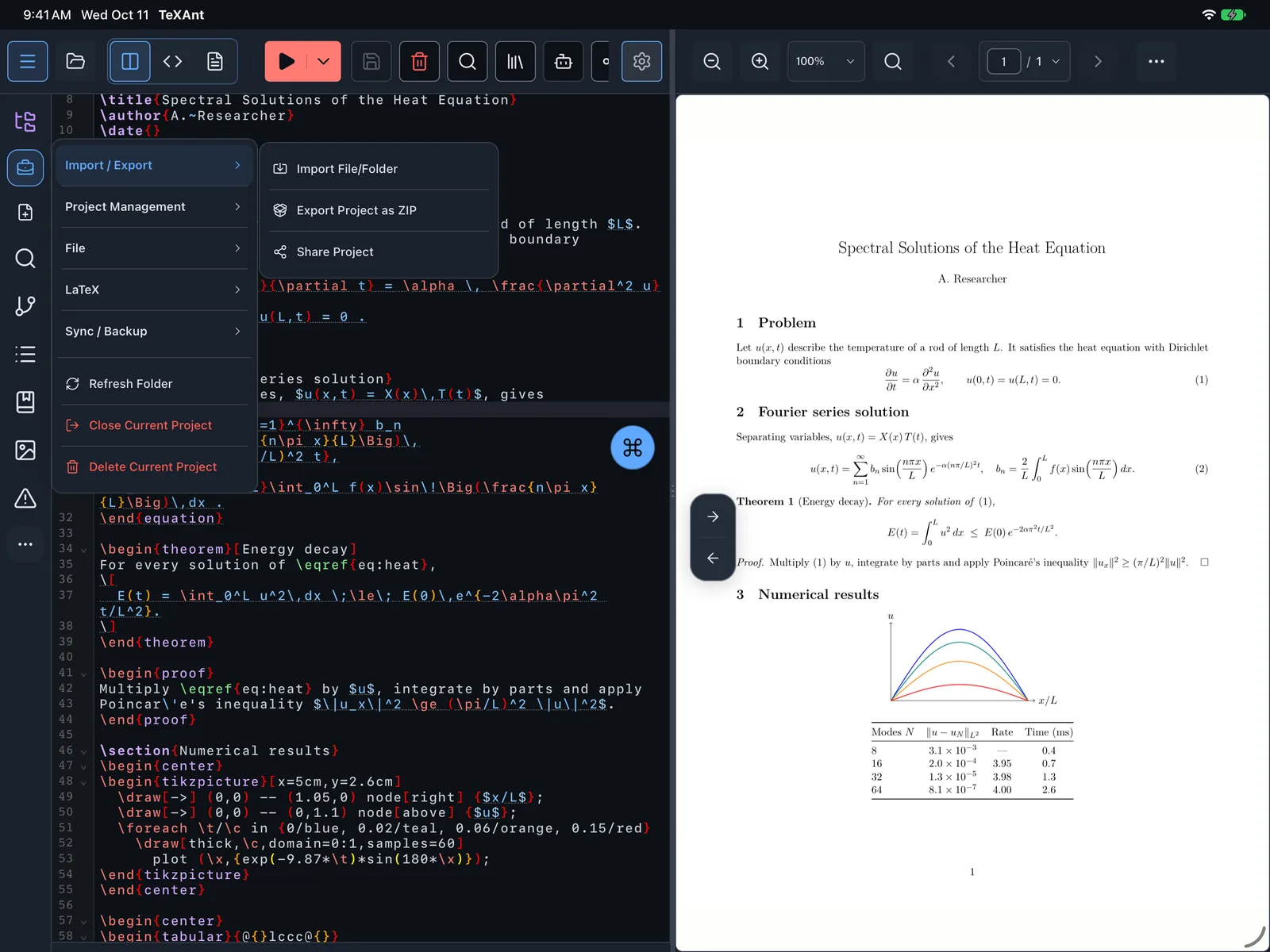
- Export the whole project: tap Project actions menu on the left rail, open Import / Export and choose Export Project as ZIP. Pick a folder, and TeXAnt saves the ZIP there and says Project exported successfully.
- A ZIP is the easiest way to send a complete project to a co-author or a journal, and anyone can open it with Import Archive Project.