GUIDE 26 OF 42 · GIT
Set up Git: your name, email and GitHub token
Tell Git who you are and connect your GitHub account, so you can clone private repositories and push.
- Open Settings (the gear in the top bar, or ⌘ ,) and choose Source Control.
- On General, make sure Enable Source Control is on, then fill in Name and Email. They go into every commit you make and are saved as soon as you leave the field.
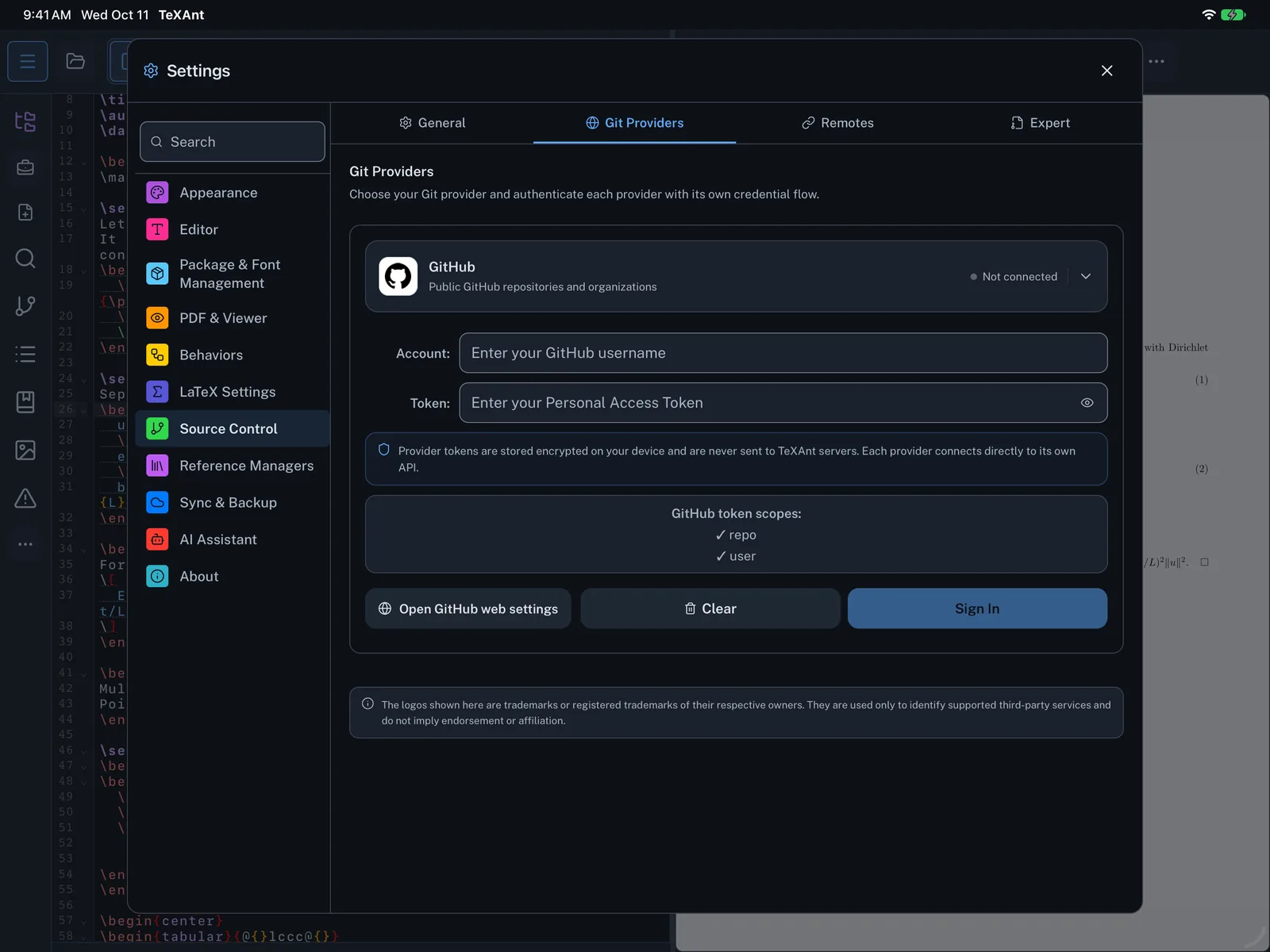
- Open Git Providers and tap GitHub.
- Enter your GitHub username under Account.
- Tap Open GitHub web settings. GitHub opens a new token page with the
repoanduserscopes already selected. Create the token and copy it. - Paste it under Token and tap Sign In. TeXAnt checks the token before saving it.
- One Git provider can be connected at a time. GitLab, Bitbucket and Overleaf are in the same list and work the same way.
- The token is kept in your device Keychain.