GUIDE 21 OF 42 · PDF
Read the PDF in Night or Sepia mode
Darken the pages for reading at night, or give them a warm paper tone.
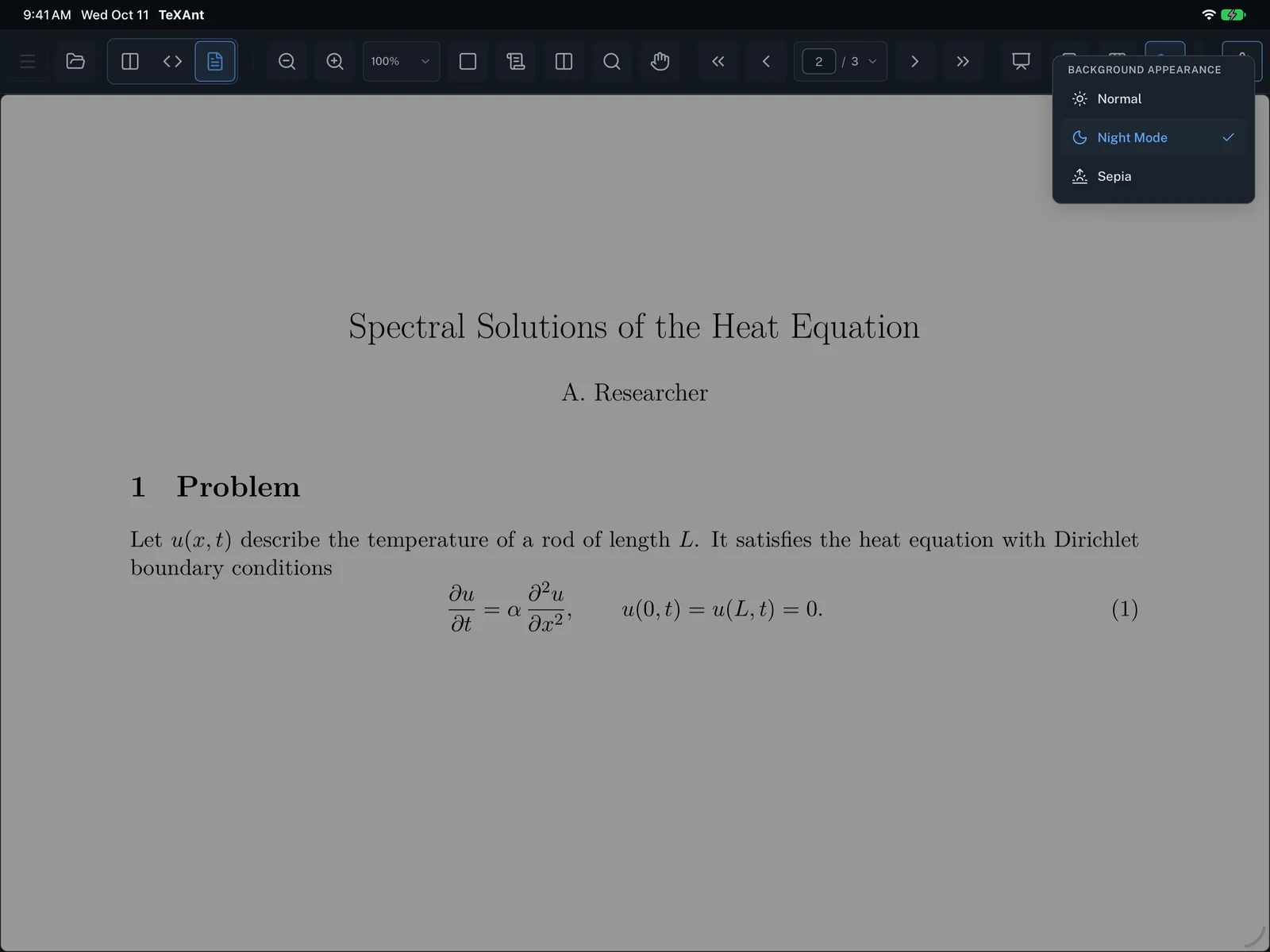
- In PDF-only view, tap the Viewing mode button in the PDF toolbar. In split view, tap … over the PDF and choose Viewing Mode.
- Under Background Appearance, choose Normal, Night Mode or Sepia.
- The choice stays until you change it. You find the same setting in Settings → PDF & Viewer → Layout → Background Appearance.
- This changes only how the PDF looks in TeXAnt. The PDF file itself is not changed.